>
The Local MCP Bridge for
ChatGPT,
Claude,
Gemini &
Perplexity.
Zero Keys. Maximum Velocity.
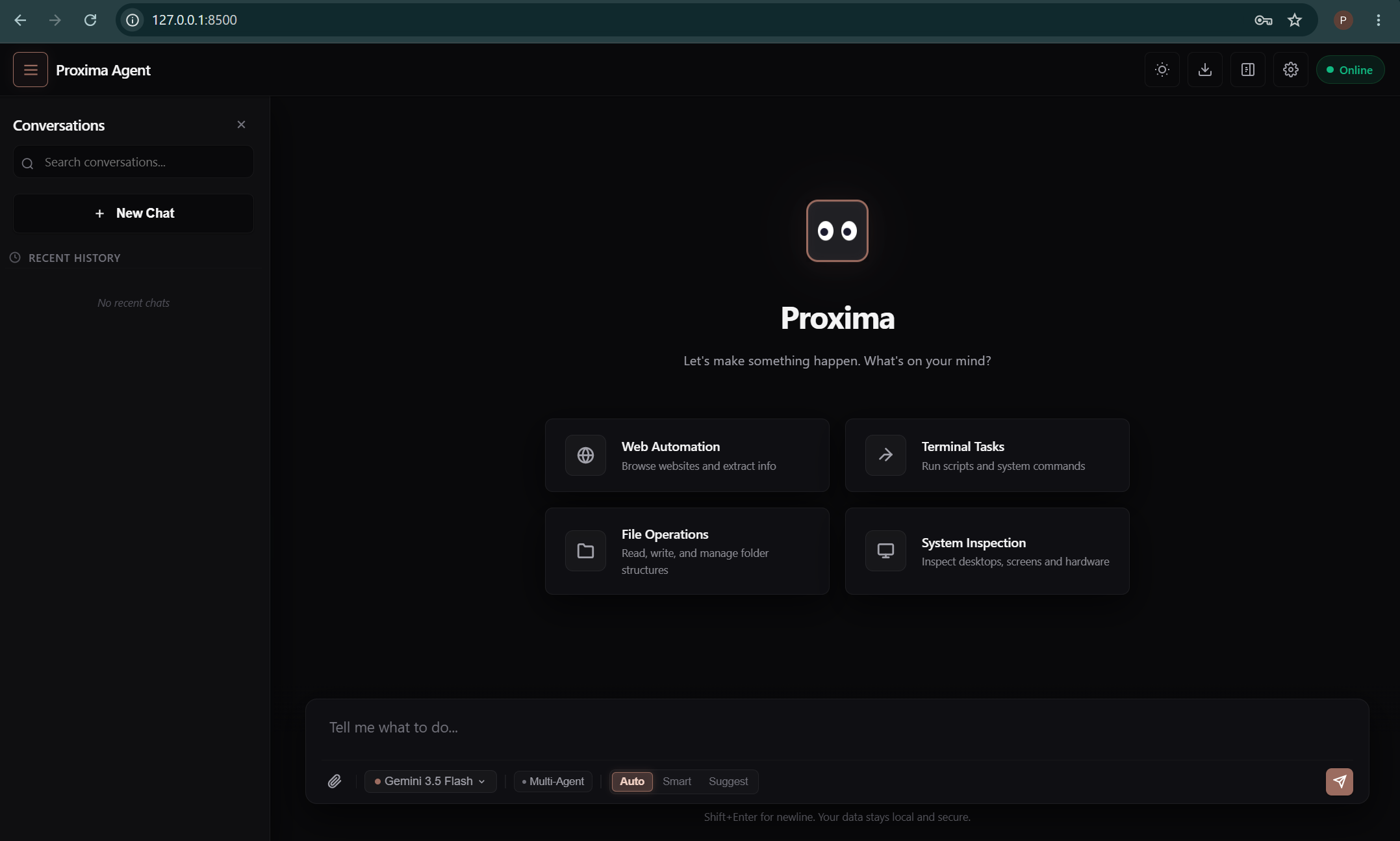
Route prompts to the best model for the task. Zero friction.
Use your existing ChatGPT, Claude, Gemini & Perplexity accounts. No API costs, no rate limits, no hassle.
Runs on localhost. Your data never leaves your machine.
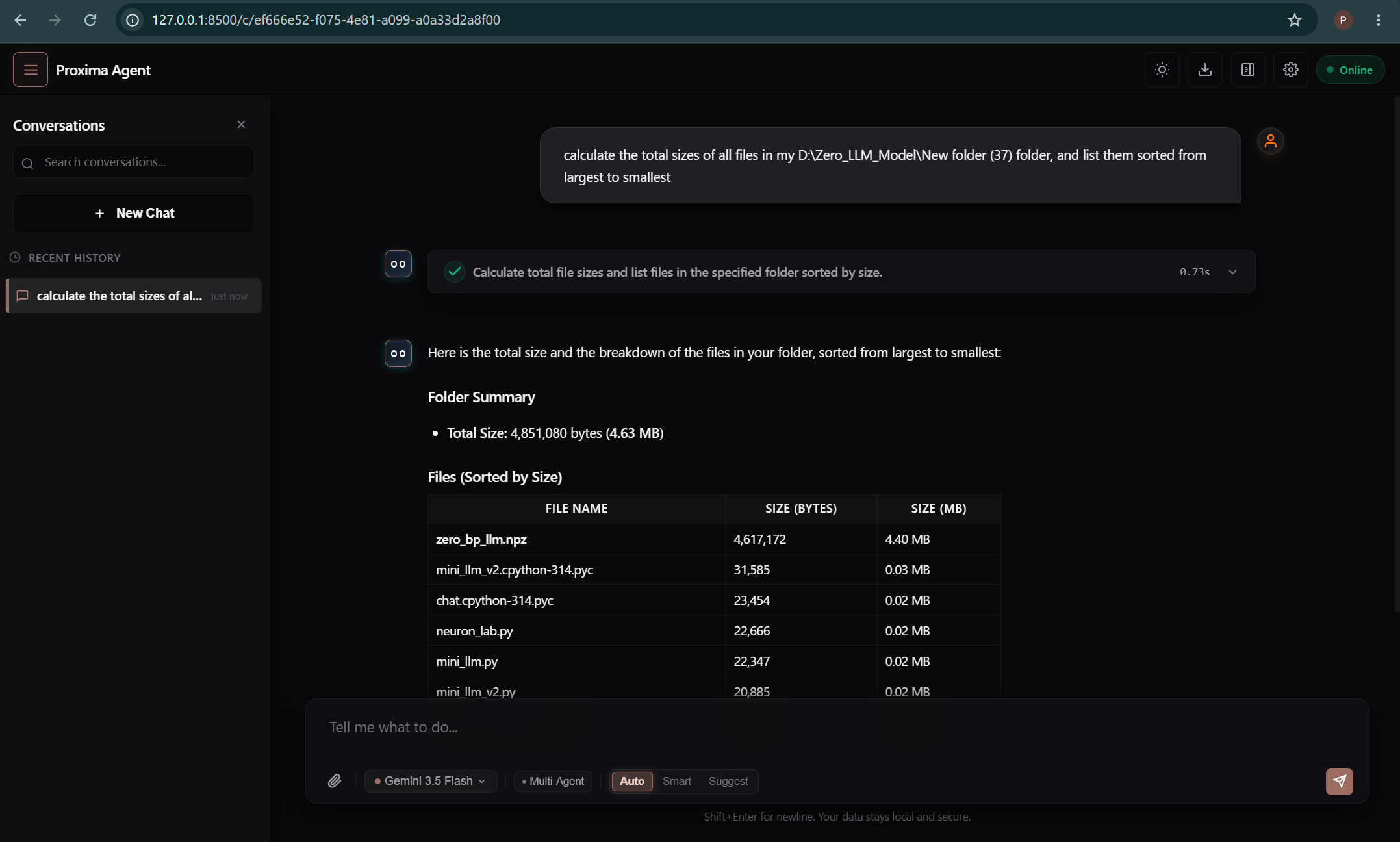
Search, code, research, analyze, and more with powerful tools.
Auto-fallback with retry logic. Always get a response.
Attach files directly to AI conversations for context.
Run in background. MCP tools work without visible window.
Switch between GPT-4, Claude 3.5, and Gemini Ultra instantly.
OpenAI's powerful GPT models for versatile AI assistance
Anthropic's Claude for thoughtful, nuanced responses
Google's multimodal AI for comprehensive understanding
Real-time web search and research with citations
Everything you need for AI-powered development
deep_search
Comprehensive web search
pro_search
Advanced research query
youtube_search
Find YouTube videos
reddit_search
Search Reddit discussions
news_search
Latest news articles
academic_search
Scholarly papers & research
verify_code
Check code best practices
explain_code
Get code explanations
generate_code
Generate code snippets
debug_code
Find and fix bugs
optimize_code
Performance improvements
review_code
Code review feedback
ask_chatgpt
Query ChatGPT
ask_claude
Query Claude
ask_gemini
Query Gemini
ask_all_ais
Query all providers at once
compare_ais
Compare AI responses
smart_query
Auto provider selection
analyze_file
Analyze any file
review_code_file
Review code files
summarize_url
Summarize webpages
translate
Translate text
fact_check
Verify claims
brainstorm
Generate ideas
Experience the power of multi-AI orchestration
Simple setup, powerful results
Download the installer from GitHub releases and run it on Windows 10/11.
Download Latest Release →Open Proxima and sign in to your AI accounts (ChatGPT, Claude, etc.)
Go to Settings and copy the MCP configuration JSON.
{
"mcpServers": {
"proxima": {
"command": "node",
"args": ["path/to/mcp-server-v3.js"]
}
}
}
Paste config into your AI coding app (Cursor, VS Code, etc.) and enjoy!
Proxima unifies your existing accounts. Switch models instantly. Build faster.